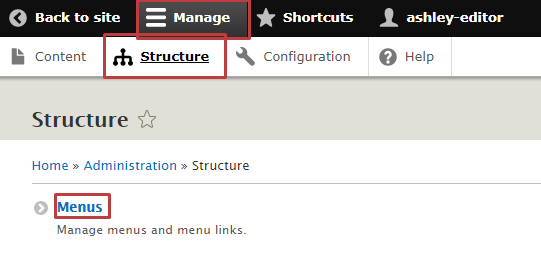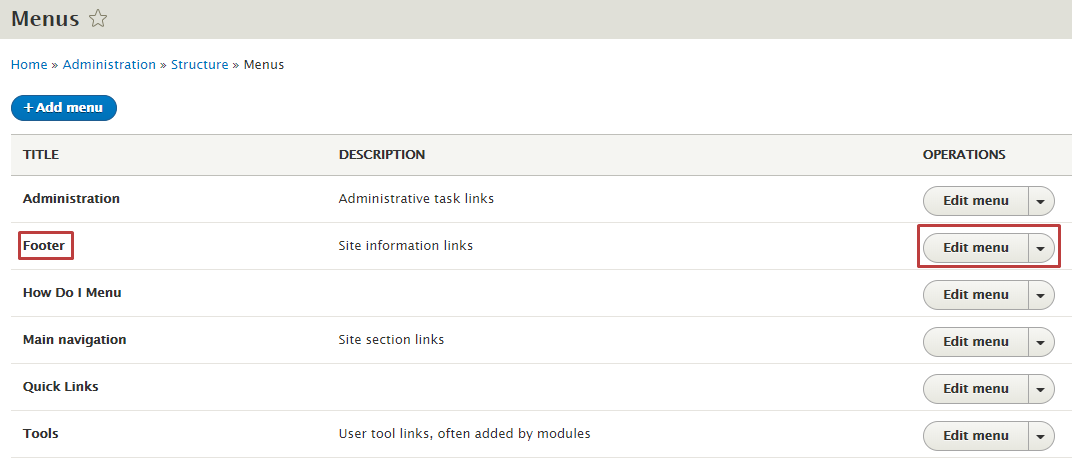
You can edit your website menu links in PSB. The Edit Menu screen allows you to add, re-order and disable menu links for all menus of your website. You can access all of your website’s menus by following these easy steps: Select Manage in the admin toolbar and click Structure, then click Menus.
Find the menu with the link(s) you want to view/edit and select the Edit menu button.